
When Should a Company Upgrade Its Data Warehouse?
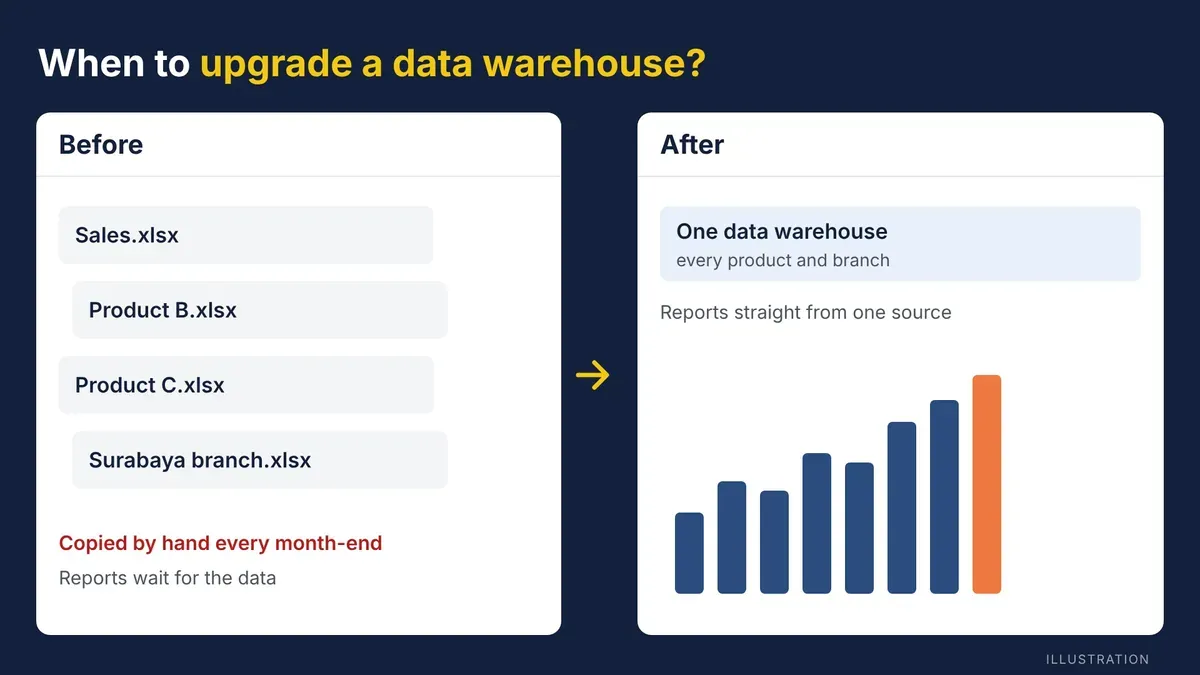
A data warehouse needs an upgrade when it can no longer keep up with the business: reports get slower, every new data source means new manual work, and each team quotes different numbers. This article covers the signs, the architecture options, and how to upgrade safely.
Picture a finance team that receives sales reports from five product lines at the end of every month, each from a system that doesn't talk to the others. Before the review meeting can start, someone copies the figures by hand into one spreadsheet so they can be compared. That works for one or two product lines. Once the portfolio grows, the data foundation starts to show its limits.
What is a data warehouse?
A data warehouse is a central store that collects data from different systems, such as sales, production and finance, and organises it in a consistent format for analysis. Unlike an operational database, which is built to record daily transactions, a data warehouse is built for reporting and analysis at scale.
Every new report or dashboard draws on the data warehouse rather than on each source system separately. That is what keeps the numbers the same across all reports.
Signs a company needs to upgrade its data warehouse

- Reports are getting slower: reports that used to finish in minutes now take hours as data volumes grow.
- Manual ETL keeps repeating: every new product or branch means building a data flow from scratch instead of extending the existing one.
- Teams quote different numbers: each team defines its own metrics because there is no data governance to hold the definitions together.
- New data can't get in: raw files, logs or data from cloud applications don't fit the current structure.
- Everything depends on one person: only one person knows how to prepare the data, so reporting stops when they are away.
- Reviews wait for data: review meetings are delayed because the time goes into preparing the numbers, not discussing them.
Before and after the upgrade

The biggest difference is how the data warehouse handles growing volumes and new kinds of data sources:
- Adding a data source: before, a new manual ETL process; after, the existing pipeline is extended.
- Processing time: before, slower as volumes grow; after, stable as data grows.
- Metric definitions: before, different per team or per product; after, one shared data model.
- Types of data: before, mostly structured data only; after, structured and unstructured data.
Modern architecture options
There are three common directions for an upgrade:
- A modernised conventional data warehouse, for example on SQL Server or Azure SQL, for simpler needs with structured data sources.
- A cloud data warehouse, such as Snowflake, which separates storage and compute so capacity can scale up and down as needed.
- A data lakehouse, such as Microsoft Fabric Lakehouse, which combines the flexibility of a data lake with the query performance of a data warehouse on one platform.
A lakehouse suits companies whose data comes from many sources in growing volumes, not those that simply need a new dashboard. For companies already on Power BI, a Fabric Lakehouse can feed reports directly without changing how the team builds them. The full comparison is in Snowflake vs Microsoft Fabric.
Examples from BI Solusi projects
A multinational pharmaceutical company first built a dashboard for a single product launch. As its portfolio grew, BI Solusi rebuilt the data foundation on Microsoft Fabric Lakehouse, so a new product is simply added to the existing pipeline. Read the case study.
Mayoly's Supply & Demand team had a similar need: it manages sales, inventory and forecast data from 11 markets in Asia-Pacific. The data was stored locally, with access depending on one person, so every monthly review waited for the data to be prepared. BI Solusi moved the data flow to Power Platform so the data is central and the whole team can reach it. Read the full story.
How to upgrade a data warehouse

- Audit the data sources: map every system that feeds data, including the ones processed by hand today.
- Agree on a shared data model: define the structure and metric definitions used across teams, not per team or per product.
- Choose an architecture that fits your scale: a conventional data warehouse for simpler needs, a cloud data warehouse or lakehouse when sources are varied and growing.
- Migrate in stages: move one data flow first to validate it, then extend to the other sources once it is stable. Existing reports keep running during the migration.
Frequently asked questions
Does upgrading a data warehouse always mean moving to the cloud?
No. An upgrade can mean improving the data model and ETL flows on the servers you already have. Moving to the cloud makes sense when data volumes keep growing or the team no longer wants to manage its own servers.
What is the difference between a data warehouse and a data lakehouse?
A data warehouse stores structured data that has already been prepared for reporting. A data lakehouse can also store raw and unstructured data and process it on the same platform, so one place serves both BI reporting and data science.
How long does an upgrade take?
It depends on the number of data sources and the scope. A simple project can be done in a month; a migration with many data sources usually takes several months, done in stages.
Next steps
See BI Solusi's ETL and data warehouse services and Microsoft Fabric services, or tell us about your data in a free consultation.


