
What Is Snowflake? How It Works and When a Company Needs It
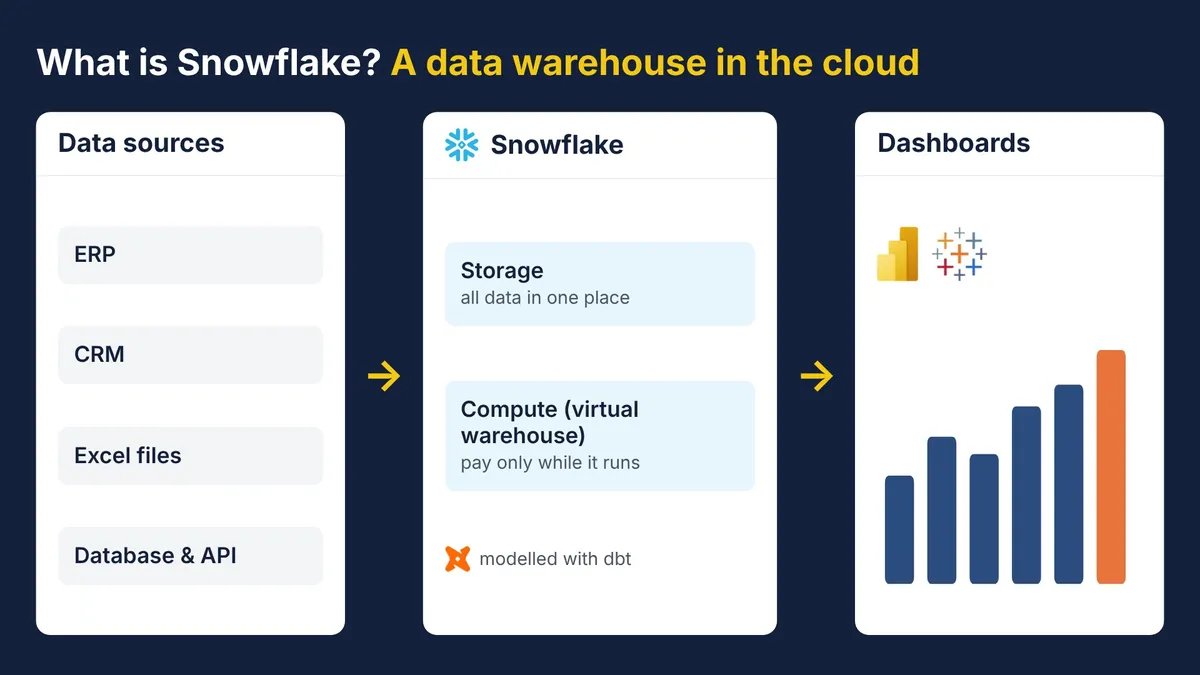
Snowflake is a data warehouse that runs in the cloud. It brings a company's data from many systems into one place and lets every team query and analyse it with standard SQL, with no servers to install or maintain.
Snowflake usually comes up when reporting from many sources becomes hard to manage: sales in the ERP, customers in the CRM, targets in Excel and stock in the inventory system. This article explains what Snowflake is, how it works, and when a company should consider it.
What Snowflake is
Snowflake is a cloud data platform that works as a data warehouse: a store designed for reporting and analysis rather than for day-to-day transactions. Where the ERP records transactions, a data warehouse answers questions such as "what was our margin per product in each region over the last three years?"
Unlike a traditional database installed on an office server, Snowflake is delivered as a service (software as a service). It runs on the cloud of your choice: Amazon Web Services (AWS), Microsoft Azure or Google Cloud. Since 2023 it has also been available in the AWS Asia Pacific (Jakarta) region, so companies can keep their data in Indonesia.
How Snowflake works
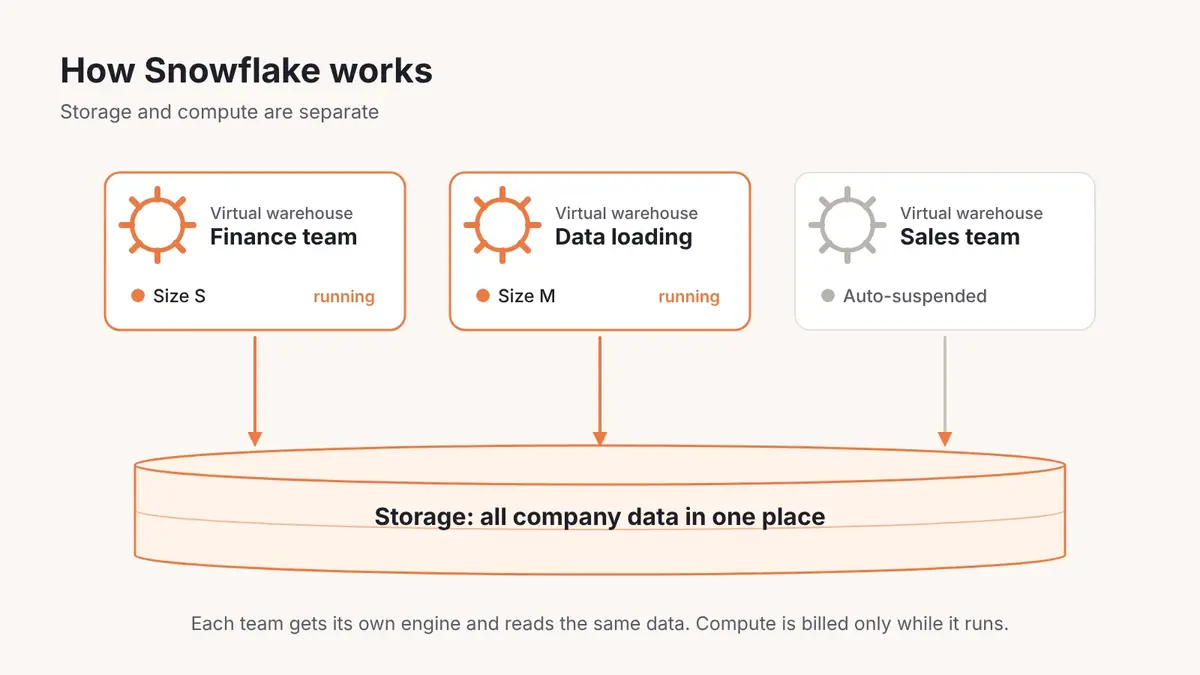
Snowflake's defining feature is the separation of storage and compute.
- Storage holds all of the company's data in one place. You pay for the volume of data stored.
- Compute comes as "virtual warehouses": the engines that run queries. Each team can have its own virtual warehouse, for example one for finance and one for data loading, so one team's work never slows down another's.
- Virtual warehouses suspend automatically when idle and resume when a query arrives. You pay for compute only while it runs.
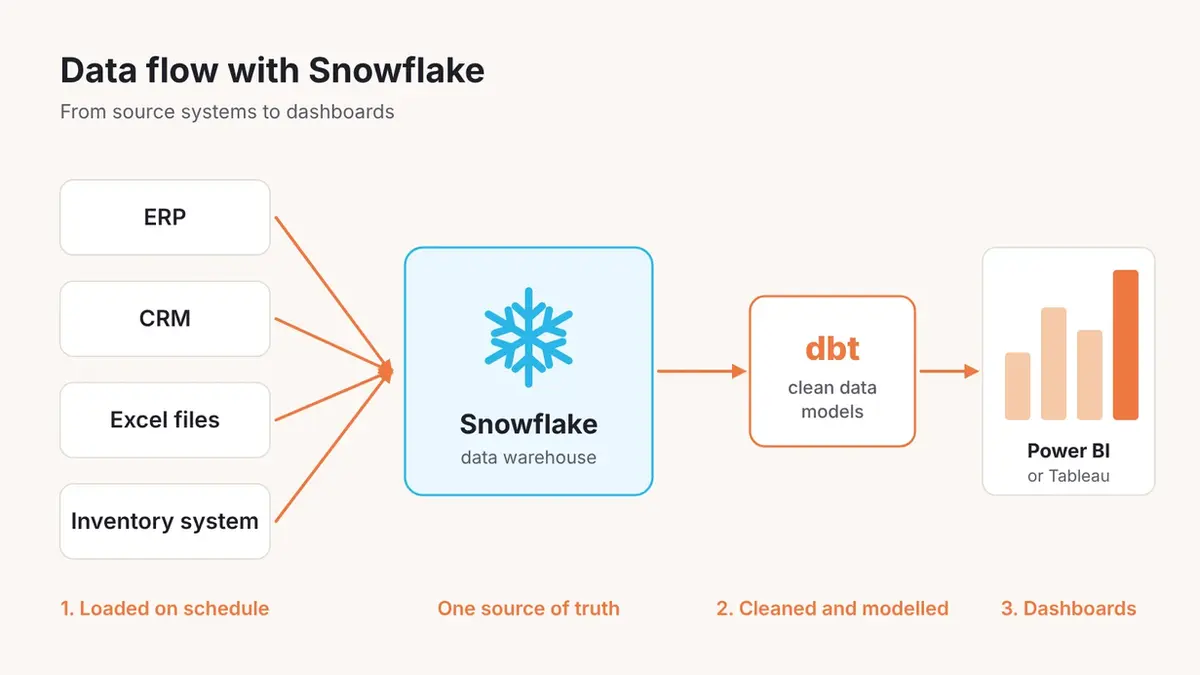
A typical data flow looks like this:
- Data from the ERP, CRM, Excel files and other systems is loaded into Snowflake on a schedule.
- The data is cleaned and modelled into report-ready tables, often with a tool such as dbt.
- Dashboards in Power BI or Tableau read the data from Snowflake.
Key Snowflake terms
- Virtual warehouse: the compute engine that runs queries. You choose its size, from small to very large, and can change it at any time.
- Database and schema: how Snowflake groups tables, as in any database.
- Time Travel: lets you read or restore data as it was at an earlier point in time, for example after a table is deleted by mistake. The retention period depends on the edition and account settings.
- Zero-copy cloning: creates a copy of a database or table for testing without physically duplicating the data, so it adds no storage cost at first.
- Credit: the unit of compute usage that billing is based on.
Business users do not need to memorise these terms. What matters is that the data sits in one place, every team can use it without getting in each other's way, and cost follows usage.
Strengths of Snowflake
- Standard SQL. Data teams who already know SQL can start working straight away.
- Easy to scale. Compute can be scaled up for the month-end close and scaled down again afterwards.
- Many teams, one source of data. Every department works from the same data, so finance and sales reports show the same numbers.
- Data sharing without sending files. A company can share live data with subsidiaries or partners directly from Snowflake.
- Works with many tools. Power BI, Tableau, dbt and most data tools have a Snowflake connector.
Points to watch
- Costs need monitoring. Because billing is based on usage, inefficient queries or oversized virtual warehouses can push costs up. Set auto-suspend and monitor usage from day one.
- Snowflake is a foundation, not a dashboard. You still need a BI tool such as Power BI or Tableau for visualisation.
- Data model design still matters. Snowflake makes queries fast, but poorly modelled data still produces confusing reports.
When does a company need Snowflake?
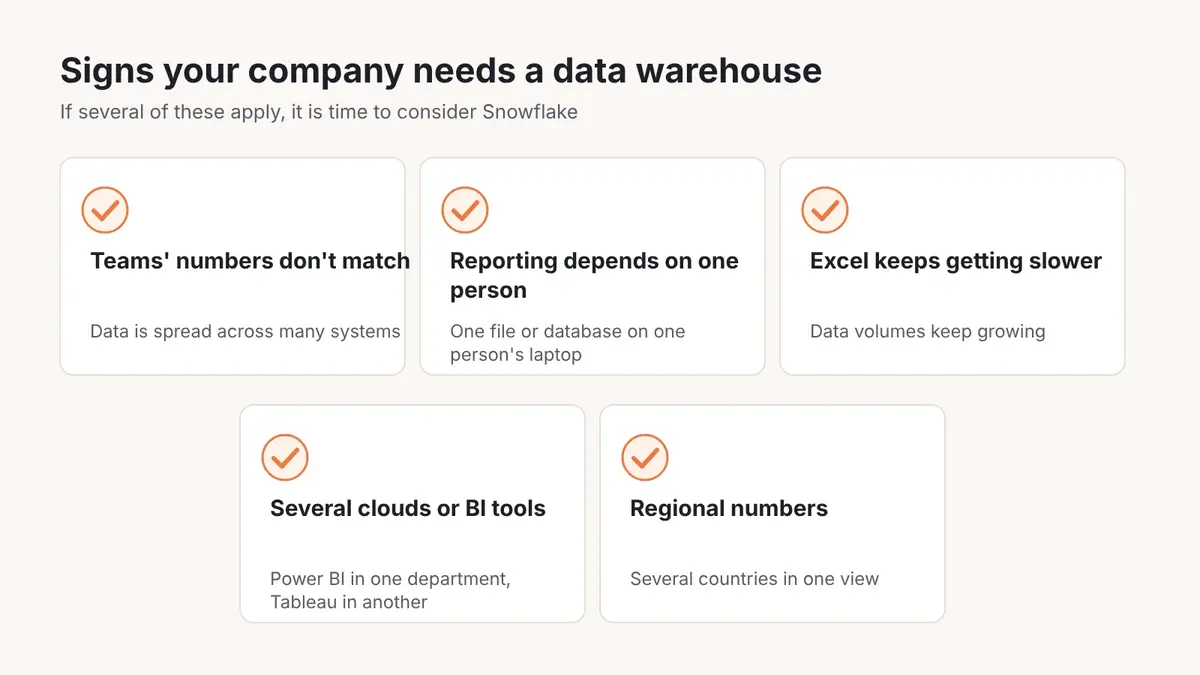
Snowflake is worth considering if your company sees several of these signs:
- Data is spread across many systems and reports from different departments do not match.
- Reporting depends on one file, or one database on one person's laptop.
- Data volumes keep growing and Excel reports are getting slow or break often.
- The company uses several clouds or several BI tools.
- A regional head office needs figures from several countries in one view.
If your company already uses Power BI and Microsoft 365, Microsoft Fabric is also worth comparing. Read the comparison in Snowflake vs Microsoft Fabric.
Our experience with Snowflake
BI Solusi has built Snowflake data platforms for two pharmaceutical companies, in Jakarta and Singapore. Both use Snowflake as their main data store and dbt to transform the data before it reaches the reports. In one project, a database kept on a single laptop became a central cloud platform for regional management. In the other, weekly reports for the marketing, sales, medical and market access teams now reach more than 100 employees with no manual work.
Frequently asked questions
Is Snowflake the same as a regular database?
No. Databases such as SQL Server or MySQL are generally used for day-to-day transactions. Snowflake is designed to analyse large volumes of data and runs as a cloud service, with no servers to manage.
Can Snowflake data be stored in Indonesia?
Yes. Snowflake has been available in the AWS Asia Pacific (Jakarta) region since 2023, so your data warehouse can be hosted in Indonesia.
How long does a Snowflake implementation take?
It depends on the scope and the number of data sources. A simple project is up and running within a month. Our typical Snowflake and dbt project takes about three months.
Can Power BI read data from Snowflake?
Yes. Power BI has a Snowflake connector, both for importing data and for querying it live with DirectQuery.
Next steps
If you are considering Snowflake for your company, see BI Solusi's Snowflake implementation services or the data platforms and data warehouses we build.


